Best Bike Computer Under 50 (2026): Budget Buying Guide
Fifty dollars does not buy maps, color screens, or training analysis, and any guide that hints otherwise is wasting your time. What it does buy is honest ride data: speed, distance, trip time, and an odometer that quietly totals your season. The best bike computer under 50 dollars is simply the one that delivers those basics reliably, ride after ride, without eating batteries or losing its sensor signal.
This guide explains what survives at this price, what quietly disappears, and how to set up a simple unit so its numbers stay accurate. For the broader picture across all prices, our overview of the best bike computer range shows where this budget class sits, and the comparison table below groups the main types you will find.
Compare Products
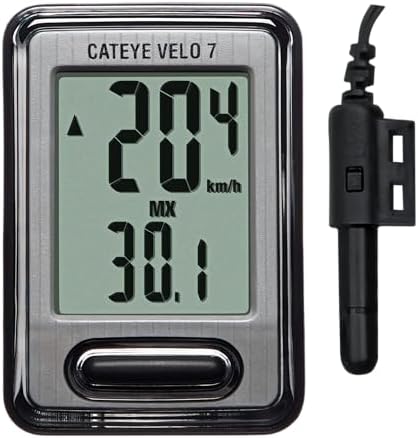
CATEYE Velo 7 Wired Bike Computer
- TBB Score8.8
TrekBikesBlog (TBB) score is a ranking system that rates products on a scale of 1 to 10. The TrekBikesBlog score has no relationship or impact from any manufacturers or sales agent websites – it's an unbiased way to rate our products. Learn more
- BrandCATEYE

- TBB Score8.0
TrekBikesBlog (TBB) score is a ranking system that rates products on a scale of 1 to 10. The TrekBikesBlog score has no relationship or impact from any manufacturers or sales agent websites – it's an unbiased way to rate our products. Learn more
- BrandHilceriy

CYCPLUS Wireless GPS Bike Computer G1, 70g, 2.0" Screen, IPX6,
- TBB Score8.4
TrekBikesBlog (TBB) score is a ranking system that rates products on a scale of 1 to 10. The TrekBikesBlog score has no relationship or impact from any manufacturers or sales agent websites – it's an unbiased way to rate our products. Learn more
- BrandCYCPLUS

- TBB Score8.6
TrekBikesBlog (TBB) score is a ranking system that rates products on a scale of 1 to 10. The TrekBikesBlog score has no relationship or impact from any manufacturers or sales agent websites – it's an unbiased way to rate our products. Learn more
- BrandN/A

- TBB Score8.6
TrekBikesBlog (TBB) score is a ranking system that rates products on a scale of 1 to 10. The TrekBikesBlog score has no relationship or impact from any manufacturers or sales agent websites – it's an unbiased way to rate our products. Learn more
- BrandCooSpo

- TBB Score8.6
TrekBikesBlog (TBB) score is a ranking system that rates products on a scale of 1 to 10. The TrekBikesBlog score has no relationship or impact from any manufacturers or sales agent websites – it's an unbiased way to rate our products. Learn more
- BrandBikevee

- TBB Score8.8
TrekBikesBlog (TBB) score is a ranking system that rates products on a scale of 1 to 10. The TrekBikesBlog score has no relationship or impact from any manufacturers or sales agent websites – it's an unbiased way to rate our products. Learn more
- BrandBKVTOP

- TBB Score8.6
TrekBikesBlog (TBB) score is a ranking system that rates products on a scale of 1 to 10. The TrekBikesBlog score has no relationship or impact from any manufacturers or sales agent websites – it's an unbiased way to rate our products. Learn more
- BrandNavihood

- TBB Score8.4
TrekBikesBlog (TBB) score is a ranking system that rates products on a scale of 1 to 10. The TrekBikesBlog score has no relationship or impact from any manufacturers or sales agent websites – it's an unbiased way to rate our products. Learn more
- BrandCooSpo

- TBB Score8.8
TrekBikesBlog (TBB) score is a ranking system that rates products on a scale of 1 to 10. The TrekBikesBlog score has no relationship or impact from any manufacturers or sales agent websites – it's an unbiased way to rate our products. Learn more
- BrandBKVTOP
Last update on 2026-11-28 / Affiliate links / Images, Product Titles, and Product Highlights from Amazon Product Advertising API
New Riders Who Want the Basic Numbers
You have started riding regularly and you want to know how far and how fast you went, without turning every ride into a data project. A simple unit answers that in one glance and asks almost nothing of you: no charging routine, no app account, no menus to learn. If you later catch the training bug, this computer still earns its keep on a second bike.
Commuters Who Log Time and Distance
You ride to work and want a running total of miles, plus a clock and trip timer you can read with gloves on. Long battery life matters more to you than features, because a computer that dies mid week is a computer you stop trusting. Look for a clear display, a mount that survives daily locking up outdoors, and water resistance for wet rides home.
Riders Adding a Computer to a Second Bike
Your main bike carries a full GPS unit, but the winter bike, the town bike, or the bike on the trainer has nothing. A cheap wired or wireless unit fills that gap for the price of a tire. You give up uploads and analysis, and in exchange you get a number on the bars every single ride with zero fuss.
The Core Metrics You Actually Get
At this price, expect current speed, average and maximum speed, trip distance, total odometer, ride time, and a clock. That list covers what most riders check ninety percent of the time. Scan speed readouts that compare current speed against your average are a bonus worth having. What you will not find is altitude from GPS, power, or navigation, so judge these units on how clearly they present the basics rather than on feature counts copied from flagship spec sheets. Judged that way, the best bike computer under 50 dollars is the one whose short list is the clearest to read at a glance.
GPS Tracking or a Wheel Sensor
Most computers at this price read speed from a small sensor and magnet on the wheel, which is simple, proven, and accurate once set up. A few basic GPS units now sit near this price and record where you rode, but their screens are tiny and they need regular charging. If ride recording matters more than battery life, our guide to the best gps bike computer explains what stepping up buys you. For pure numbers on the bars, the wheel sensor design is usually the better fifty dollars.
Coin Cell Battery Life
Simple computers run on a coin cell battery, and that is their quiet superpower. Instead of charging every week, you ride for many months and swap the cell in a minute with a coin to open the back. This suits commuters and second bikes that sit unused for weeks, because the unit wakes up ready. Keep a spare cell in your saddle bag near the end of its life, since a fading battery shows up as a dim screen and dropped sensor readings.
Screen Size and Readability
Displays at this price are small, so the layout matters more than the measurements. Two or three large lines beat five cramped ones, and a screen that shows speed plus one other number at once is easier to read at a glance. Contrast fades on the cheapest units in bright sun, so favor models with bold digits. If you ride at dawn or dusk, note that backlights are rare in this class, and a small bar mounted light aimed at the bars solves more than a dim backlight would.
The Mount in the Box
Most budget units mount with rubber bands or a simple zip tie bracket, and that is fine for road and path riding. The bracket should hold the computer firmly enough that it does not rotate when you press its button. Riders who take a cheap computer onto rough trails ask more of a mount, which is why the sturdier options in our guide to the best bike computer for mountain biking cost more. Check that spare mounts are sold separately if you plan to move the unit between bikes.
Water Resistance for Wet Commutes
Rain is where the cheapest electronics fail, so take the rating seriously. A basic splash rating survives a shower, but regular wet commuting calls for a unit sealed well enough to shrug off a soaked ride home, with buttons that do not let water creep in. Wired models add one more entry point where the cable meets the sensor, so route the cable with a gentle loop that sheds water rather than funneling it toward the fork sensor.
Knowing the gaps upfront prevents disappointment. There is no turn by turn navigation and no map of any kind. Phone notifications, Strava uploads, and training plans are absent on sensor based models and stripped down on the basic GPS ones. Sensor pairing for heart rate or power meters is almost never offered, and the screen will be monochrome and small. None of this matters if your goal is the core numbers. If two or three of those gaps bother you, the honest move is to save toward the next tier; our roundup of the best budget bike computer range shows what a modest step up adds.
- Entering the wrong wheel circumference, which quietly makes every speed and distance reading wrong by the same percentage.
- Expecting maps or phone uploads at this price, then blaming the computer for a job it never claimed to do.
- Mounting the sensor too far from the wheel magnet, so the signal drops at speed and the odometer undercounts.
- Routing a wired sensor cable loosely, where it snags on the front brake or flaps itself frayed within a season.
- Leaving the computer on a bike parked outside all day, where sun and heat age the display and invite theft.
- Buying a second hand unit with an unknown battery and no spare mount, then paying more in parts than a new one costs.
Simple computers last for years when you treat the small parts kindly. Twist the unit out of its bracket when you park in public, since it is pocket sized and tempting. Replace the coin cell as soon as the screen dims rather than waiting for it to die mid ride, and wipe the battery contacts dry if you ride in the rain often. Check the sensor and magnet alignment when you swap tires, keep spare rubber mounting bands in a drawer because they age and snap, and store the bike indoors so the display avoids daily sun and frost.
Can a bike computer under $50 record GPS rides?
A few basic GPS units sit near this price and will record your route to view in an app later. What they cannot do is guide you: there are no maps and no turn prompts, and their batteries need charging every week or so. If you only want numbers on the bars, a sensor based unit is still the calmer choice at this budget.
How accurate is a wheel sensor bike computer?
Very accurate when the wheel circumference is right, because it counts real wheel rotations. The trick most riders miss is measuring the rollout themselves: mark the tire, roll the bike one full turn under your weight, and enter that distance instead of trusting the chart in the manual. Charts assume a tire size that your actual tire, pressure, and load rarely match exactly.
Do under $50 bike computers work with heart rate straps?
Almost never. Pairing with heart rate, cadence, or power sensors is the feature this class gives up first, and the few models that pair usually connect to a phone app rather than showing the data live on screen. If heart rate on the bars matters to you, budget for the next tier up instead of hunting for an exception that disappoints.
How long does the battery last in a cheap bike computer?
A sensor based unit often runs about a year of regular riding on one coin cell, and commuters who ride daily still measure life in months, not days. Cold weather shortens that span, and a magnet gap that forces the sensor to work harder can too. The GPS units near this price are the opposite: expect to charge them roughly weekly.
Will an under $50 bike computer fit any handlebar?
Nearly all of them, because the mounts use flexible bands or zip ties rather than fixed clamps. The exception is the newer 35 mm bar standard on some mountain bikes, where the included bands can be too short. A longer band or a stem mount solves it for a few dollars, and checking before you buy saves a frustrating unboxing.
A cheap computer done right is not a compromise; it is a tool matched to a simple job. Pick the unit with the clearest screen, the battery you can forget about, and a mount that fits your bars, and the best bike computer under 50 dollars will quietly total your miles for years. Use the product table above to compare the main types, and spend the money you saved on tires and brake pads instead.


Best Cycling Backpacks

Best Cycling Gloves for Women (2026): Buying Guide

Best 2 Bike Bike Rack in 2026: A Buying Guide

Best Action Camera With Stabilization (2026): A Rider Buying Guide

Best Cycling Glasses for Low Light (2026): Buying Guide

Best Action Camera for Travel (2026): Small Cameras for Big Trips

Best Bike Rack for Fat Tire Bikes in 2026: Buying Guide and What to Check

Best Action Camera Under 50 Dollars (2026): Honest Expectations for Cheap Cameras